01 / PLATFORM
Set platforms and accounts.
Manage up to three LINE, Threads, Dcard, Carousell, or custom accounts together.
Platform nameAccount or nicknameCustom text
Product photo tool
Choose photos, set the watermark content, then save or share. Your photos stay on your device; nothing needs to be uploaded.
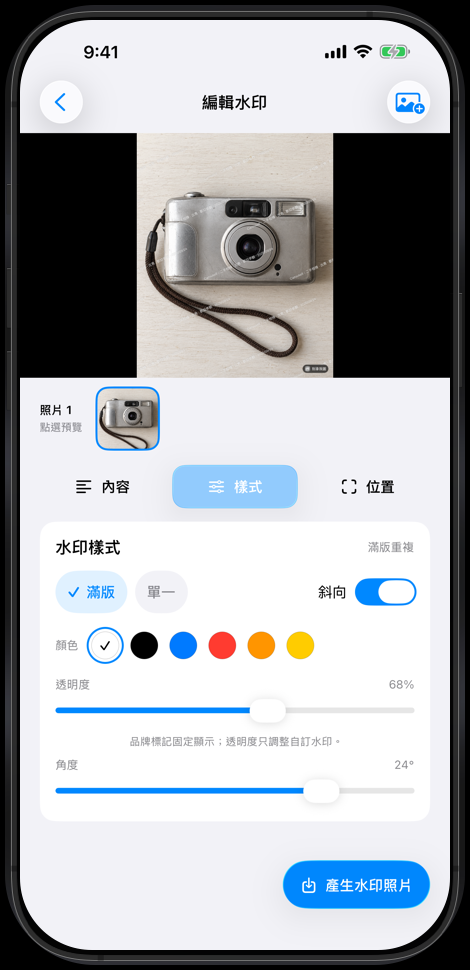
Choose photos, set content,
confirm, and export.
Features
Keep the settings you use most in one focused flow.
01 / PLATFORM
Manage up to three LINE, Threads, Dcard, Carousell, or custom accounts together.
02 / STYLE
Choose full bleed or single, then adjust angle, opacity, and position.
03 / DONE
Check the preview, then save to Photos or use the native share sheet.
Workflow
Choose photos on iPhone or iPad, set the information to show, and confirm the export.
How photos are handled
Don't Take My Image uses the native iOS photo flow. Photos, platform accounts, and text are processed on device before you export.
Get started
Choose photos, set what to show, then save or share when you are ready.
Back to top